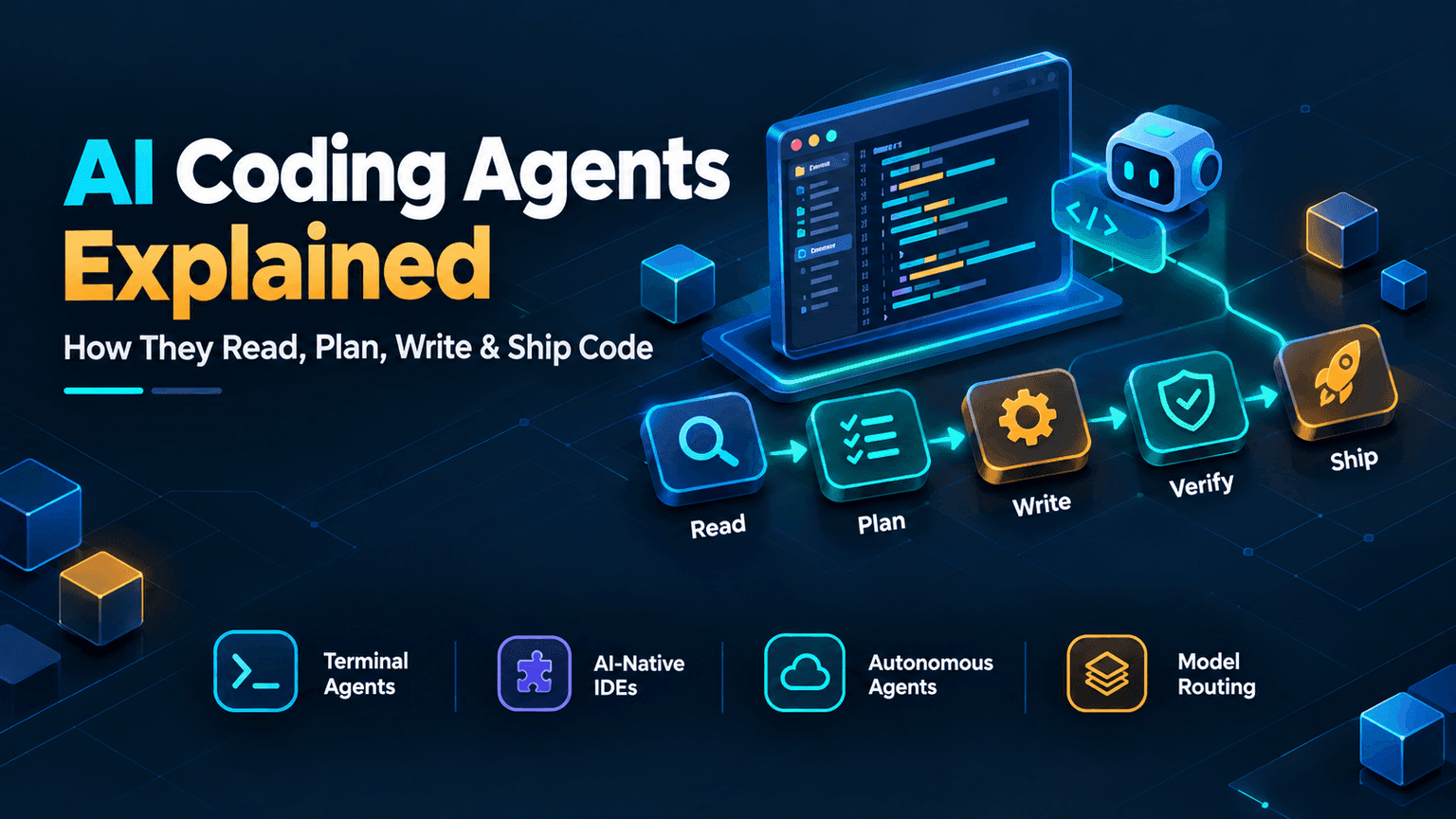
From autocomplete to actually finishing the task
Not long ago, AI coding help mostly meant autocomplete with better guesses: it finished the line you were already typing. What's different now is scope. The tools people mean when they say "AI coding agent" can read an entire codebase, plan a multi-file change, write it, run the tests, fix what breaks, and commit the result, mostly without someone approving every single step.
That's not a small upgrade to autocomplete. It's a different category of tool, and it's genuinely reshaping how a lot of code gets written day to day.
Four different shapes this takes
- CLI / terminal agents: live in your terminal, work directly with your actual files and shell, and hand back a diff or a finished change rather than just a suggestion.
- AI-native IDEs: an entire editor built around AI from the ground up, not a plugin bolted onto an existing one.
- 24/7 autonomous agents: take a task, work on it in the background (sometimes for hours), and come back with a pull request.
- Model routers: behind the scenes, an expensive model plans the work and cheaper models execute pieces of it in parallel, to keep cost down on large tasks.
The main tools people are actually comparing
| Tool | Category | What it's known for |
|---|---|---|
| Claude Code | Terminal / CLI agent (Anthropic) | Complex multi-file reasoning, debugging across services, autonomous feature work |
| Codex CLI | Terminal / CLI agent (OpenAI) | Open source, sandboxes command execution by default, included with every ChatGPT plan including the free tier |
| Gemini CLI | Terminal / CLI agent (Google) | A very large context window, strong at holding an entire monorepo in view at once |
| Cursor | AI-native IDE | The most mature all-in-one AI editor, built from scratch around AI rather than added to one |
| GitHub Copilot | Editor plugin | Broadest IDE support (VS Code, JetBrains, Neovim), the lowest-friction option to adopt |
| Windsurf | AI-native IDE | Multi-step task automation through its Cascade agent, a strong value pick among IDE-based tools |
There's no single overall winner here, only a best tool per job. Most serious setups don't pick just one either. A common pattern is an IDE-based assistant for everyday coding, plus a terminal agent for the harder multi-file work.
A real example: how this site actually gets built
Rather than describe this abstractly, here's what it looks like in practice: this exact site, devlearningtools.com, is built through a terminal coding agent (Claude Code), and has been for its entire history. A request comes in as plain language, not a ticket with a spec, something closer to "add a lesson on ColdFusion transactions" or "the meta description on the contact page is too short, fix it." What happens after that is the same six-step shape almost every time:
The agent workflow, step by step
Request comes in as plain language
Agent reads the existing codebase
Agent plans the multi-file change
Agent writes and executes the change
Agent verifies with a real build
Change is committed and shipped
None of that is unique to this project. It's the normal shape of working with a terminal coding agent. What's unusual is how much of it is genuinely unattended: long stretches of real, shipped work happen with no one watching each individual step, because the agent verifies its own work (a real production build, not just "looks right") before treating anything as done.
What this is honestly good at
- + Handles genuinely tedious, well-specified work fast: boilerplate, repetitive structural changes, a batch of similar fixes across many files
- + Can hold an entire codebase's structure in mind at once, which catches inconsistencies a tired human reviewer might miss
- + Verifies its own work (builds, tests) before calling something finished, instead of just producing code and moving on
- + Removes a lot of the friction between "I know what I want" and "it exists in the codebase"
- − Still needs a human who understands the codebase to catch a confidently wrong assumption, since it can be fluent and incorrect at the same time
- − Cost adds up fast on genuinely large, long-running tasks, especially with top-tier models
- − Works best with clear direction: a vague request gets a plausible-looking but often wrong guess at what you meant
- − Doesn't replace understanding your own system's architecture, since it executes within whatever structure already exists, good or bad
The real shift isn't the model, it's the workflow
A better underlying AI model matters, but the bigger change is how these tools get used. Instead of picking one model for everything, teams increasingly assign different models to different parts of a task: a stronger, more expensive model to plan and make judgment calls, and cheaper, faster models to execute the more mechanical parts of that plan in parallel. That combination is a meaningful part of why these tools now handle genuinely large tasks in a reasonable amount of time, not just small isolated edits.
Common Mistakes When Using One
- Giving a vague request and trusting the first result: "clean up this file" gets a guess at what you meant, while "remove the unused imports and the commented-out debug code, nothing else" gets what you actually wanted.
- Skipping the review because the code looks clean: well-formatted, confident-sounding code can still be built on a wrong assumption about how the rest of the system works.
- Never checking that it actually verified its own work: a real build or test run, not just code that looks plausible on the screen.
- Handing over security-sensitive changes (auth, payments, permissions) without extra scrutiny, the same way a junior developer's first pass at that code would get more careful review, not less.
- Treating it as fire-and-forget on a large task, when a good workflow still checks in partway through, rather than walking away and hoping the final result matches the original intent.
Should you actually use one?
If you're maintaining a real codebase and spend real time on repetitive, well-understood changes, a terminal agent or AI-native IDE is worth trying properly, not just as an autocomplete replacement. If you're still learning fundamentals, lean the other way first: understanding why code works is what lets you actually judge whether an agent's confident-looking output is correct, and skipping that step just delays running into it later, usually at a worse time.
Interview Questions
A few questions on this topic that come up in real conversations about current dev tooling, not just textbook definitions.
Isn't ChatGPT or Gemini already an AI coding tool? Why do Codex CLI and Gemini CLI exist separately?
The chat product (ChatGPT, Gemini) and the coding agent (Codex CLI, Gemini CLI) are different things built on the same underlying models. The chat interface answers questions and writes snippets you copy and paste yourself. The CLI agent runs in your actual terminal, reads and edits your real files directly, executes commands, and can complete a multi-file task end to end without you copying anything by hand.
What's the actual difference between an AI autocomplete tool and an AI coding agent?
Autocomplete finishes what you're already typing, one suggestion at a time, with you approving each one. An agent takes a higher-level goal, plans a multi-step change across potentially many files on its own, and hands back a finished result rather than a suggestion to accept or reject line by line.
Why do teams use multiple models instead of just the strongest one for everything?
Cost and speed. A stronger model is better at planning and judgment calls but is slower and more expensive to run constantly. Using it to plan, then handing the more mechanical execution work to cheaper, faster models running in parallel, gets large tasks done in a reasonable time without paying premium-model cost for every single step.
What's a real limitation of AI coding agents worth mentioning honestly?
They can be confidently wrong: fluent, well-structured code that's built on an incorrect assumption about how the existing system works. Catching that requires someone who actually understands the codebase reviewing the result, not just checking that it runs.
If someone's still learning to code, should they rely on an AI agent for their work?
Not as a substitute for understanding fundamentals. An agent's output is only as easy to evaluate as the reviewer's own knowledge, and a beginner who can't yet judge whether generated code is actually correct is trusting it blindly, which tends to surface as a much harder problem later rather than a smaller one now.
What does it mean for an agent to "verify its own work"?
It doesn't stop at producing code that looks right. It actually runs the project's build, type checker, or test suite against the change, and only treats the task as finished once that passes. That's a meaningfully higher bar than just generating plausible-looking code and moving on.
Give an example of a well-specified request versus a vague one for a coding agent.
Vague: "improve this function." Well-specified: "this function is slow on large arrays because it re-sorts on every call; cache the sorted result and only re-sort when the array actually changes." The second gives the agent a concrete problem and constraint instead of leaving "improve" open to interpretation.
The short version
AI coding agents aren't a fancier autocomplete. They plan, write, verify, and ship multi-file changes with a lot less step-by-step supervision than a couple of years ago. They're genuinely useful for real, well-specified work, genuinely fallible in ways that still need a human who understands the system, and increasingly built around combining models rather than picking just one.